Compatible with Chrome and Edge
Instruction Guide
We have a simple tutorial guide which explains the features of the software extension and what each button inside the extension does. Read our tutorial and welcome guide on how to use the extension to the fullest. Use all the features of this browser software.
If you are interested in other web extensions to install, you might wish to check out the Microsoft Bing Search with Rewards extension.
Microsoft Bing Search with Rewards Extension
It allows you to complete daily offers to get points.
Track the number of points you have currently and the rewards you can redeem with these points.
The ways to get points & get rewarded is search with Bing, browse with Microsoft Edge and shop at the Microsoft and Windows stores to earn rewards.
Sponsored Link:
Other useful extensions
Another extension which would be useful to install is the iCloud bookmarks extension.
It allows to keep your Chrome bookmarks on Windows synced up with the Safari bookmarks on your iPhone, iPad, and Mac.
iCloud will store your website bookmarks so it is accessible even on your iPhone and Mac.
Try these other two extensions and see if it will boost your daily productivity.
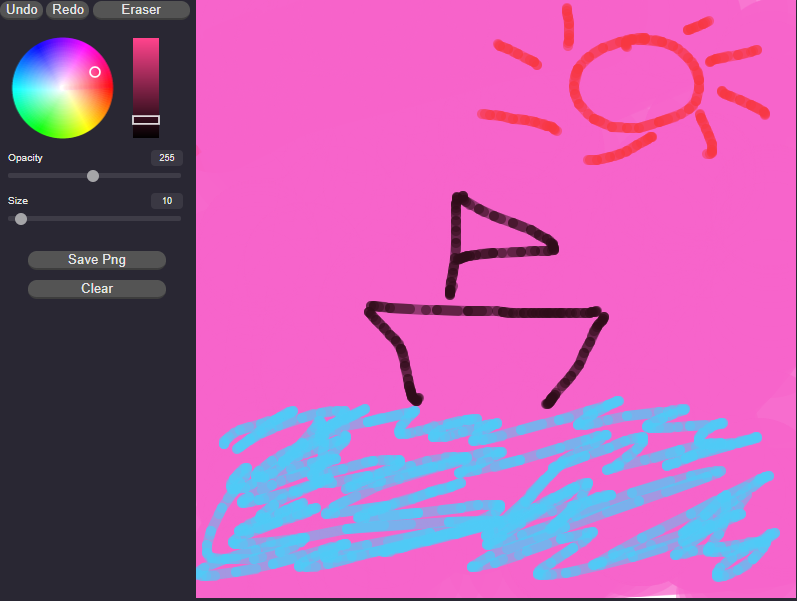
Free! Easily and save simple drawings right in the browser.
Features:
Install and open.
- After installing the extension. You click on the icon to begin sketching.
If you are interested in using some desktop sketching software, here are a few.
Here are some popular desktop sketching software.
Adobe Illustrator
Adobe Illustrator is a vector-based drawing and illustration program developed by Adobe Systems. It is one of the most popular and influential graphic design applications. In addition to traditional drawing tools such as pencils and markers, it has features that allow users to design logos and other artworks using more than two million scalable vector objects (such as lines, curves, text characters and polygons) available in its library. Additional advanced features include three-dimensional drawing tools.
Inkscape. An open source vector drawing program with many similarities to Adobe Illustrator, including all the basic tools you need to create professional-quality vector graphics.
Sketch 3 is a professional vector-based drawing program that allows users to create icons, logos and illustrations for websites and mobile apps in a simple and intuitive way.
Tutorial:
- Install the Extension
-
After installing the extension, click on the icon
 on the toolbar.
Sponsored Link: